
Most small and medium enterprises will agree that maintaining healthy working capital is absolutely critical for business growth. Enterprise Resource Planning (ERP) providers frequently talk about optimising the quote to cash process, which means accelerating the collection of cash within your daily operations.
The excellent news is that SAP Business One provides organisations with multiple sophisticated cash collection tools and financial reports designed specifically to improve overall cash flow performance. Among these tools, the automated dunning letter (a dunning letter is a formal written demand sent by a business to a customer regarding an outstanding, overdue invoice. The term comes from the historical word “dun”, which means to persistently demand payment for a debt) facility stands out by allowing businesses to systematise and dispatch reminder notices to overdue accounts receivable debtors based on precise criteria established by your management team. In modern financial operations, dunning is a core part of accounts receivable management. Rather than relying on sporadic, manual follow ups, a business establishes a systematic process where collection notices gradually escalate in tone and urgency the longer an account remains unpaid. This structured approach helps ensure consistent communication, clarifies legal payment expectations, and prompts clients to clear their balances before harsher collection actions or legal measures become necessary.
Strategic Configuration and Dunning Terms Setup
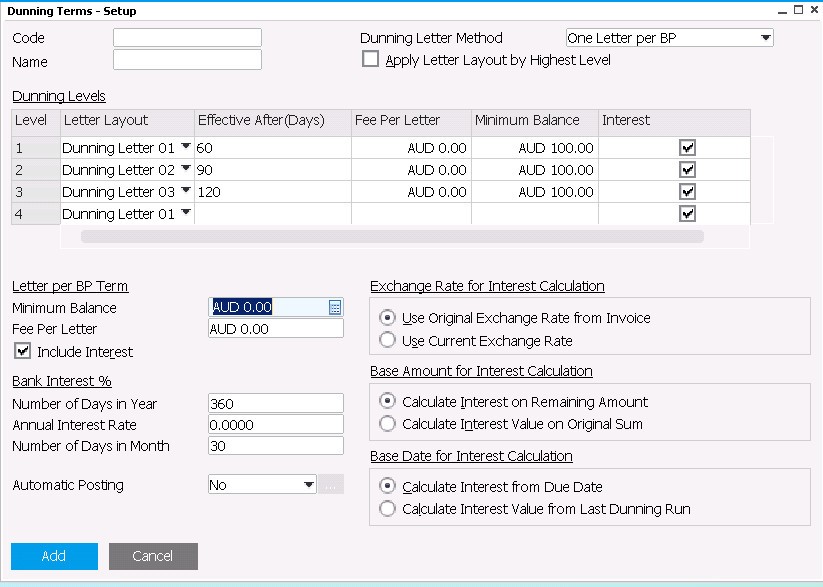
System customisation begins within the Dunning Terms Setup window. This administrative control screen allows financial teams to map out multiple automated collection paths by assigning unique communication layouts, tracking thresholds, and escalating severity levels to customer accounts based on aging parameters.
Customising Your Accounts Receivable Escalation Path
-
Level One Reminders (Gentle Notification): You can configure the system to generate a polite notification, such as Dunning Letter Layout 1, the moment a debtor crosses a specific threshold like 60 days overdue. The text can remain conversational and supportive, prompting the client to review their records and arrange prompt payment for their open balance.
-
Level Two Reminders (Firm Escalation): If an account remains unpaid and crosses into a 90 day overdue bracket, the system can automatically elevate the communication to Dunning Letter Layout 2, adopting a noticeably firmer collections tone to emphasize the urgency of the outstanding obligation.
-
Selective Customer Exemptions: Because client relationships vary, the platform provides total configuration flexibility. You can flag premium accounts, strategic partners, or clients navigating active billing disputes as entirely exempt from automated dunning runs.
-
Fees and Interest Enforcement: Beyond text definitions, the configuration matrix allows you to automatically append a fixed administrative fee per letter sent or apply calculated interest percentages directly to the overdue balances on the statement.
-
Minimum Balance Protection: To ensure your collections team does not waste time or strain customer relations over trivial balances, you can establish a minimum balance threshold. For instance, you can set the system to ignore any accounts owing a total sum of less than $100.
SAP Business One Dunning Letter Setup:
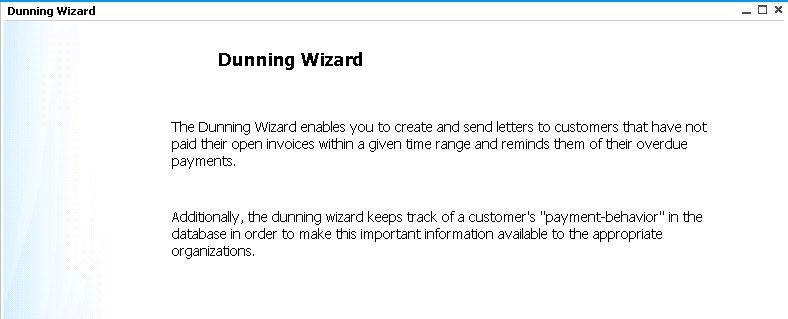
Use the SAP Business One dunning letter wizard to configure the mailing of your reminder letters. This process leads you through some simple choices to create the reminder letters and send them to your overdue debtors.
SAP Business One – Dunning Letter Wizard:
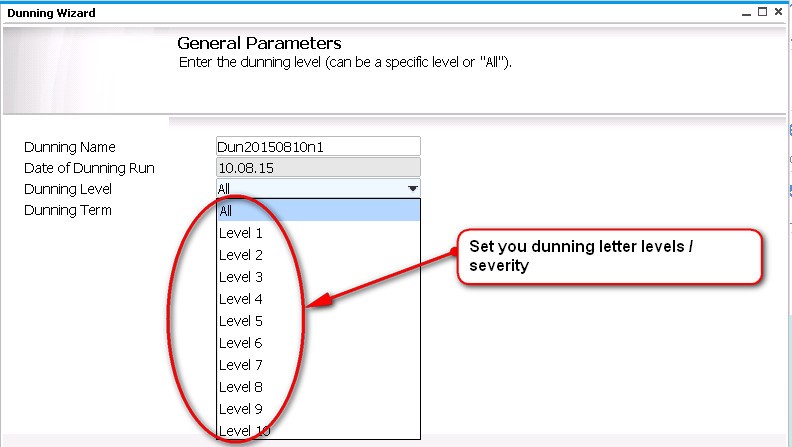
SAP Business One Dunning Letter – setting general parameters:
Other steps included in the SAP Business One Dunning Letter Wizard include:
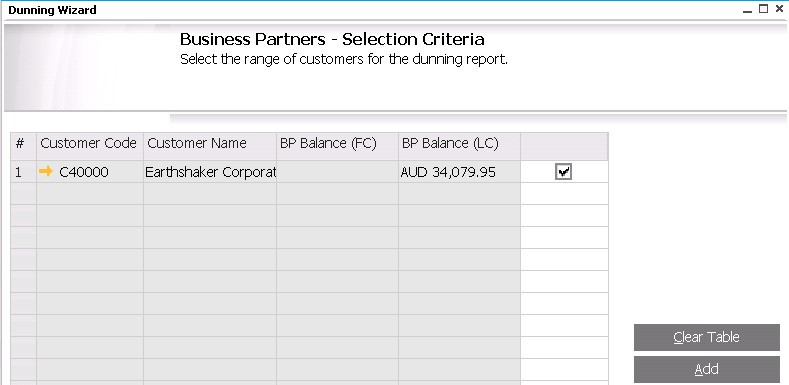
Select the business partner (debtor) or range of debtors that you want included in a dunning / reminder letter report:
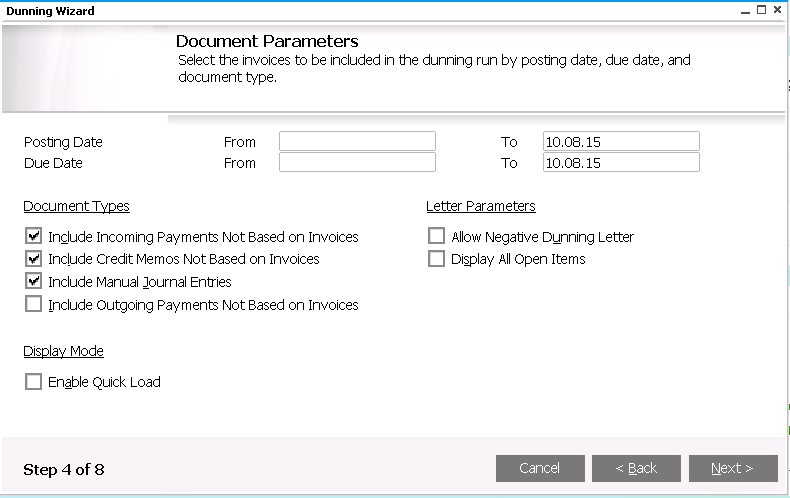
Set your document parameters:
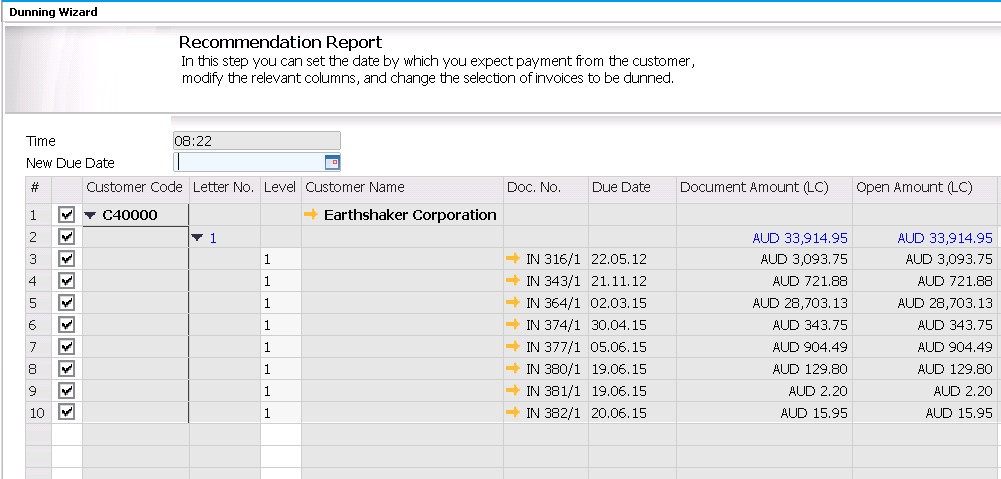
Review the recommendation report. This standard SAP Business One report can be used to check the details of relevant customers due for a reminder letter, terms, outstanding amounts and interest, if applicable. As you can see from the screenshot below each invoice is individually listed. If you want some invoices excluded from the reminder letter you can simply un-tick the relevant invoice. This option might be used if you are aware of an issue with one particular invoice or invoice that relates to an unfinished service and you do not want that particular invoice excluded from the reminder letter / dunning wizard run.
As we all know SAP is constantly enhancing SAP Business One. A recent minor patch level release has seen the team at SAP add the ability to send emails out directly from the dunning wizard. SAP Business One 9.1 PL6 allows several options for delivery of the dunning / reminder letters:
- Save the selection and exit,
- Save the recommendation report as a draft and exit,
- Execute only and exit. Print or email the letters later,
- Print dunning letters and exit,
- Email dunning letters and exit (SAP Business One 9.1 PL6 enhancement).
As you can see SAP Business One dunning letters is another way of automating business processes to help your business with cash collection.
See a demo video on Dunning Letters.
Recognised by the top ERP Partners in Australia



Leverage Technologies is an SAP Gold Partner, Sage Platinum Partner, and MYOB Acumatica Platinum Partner. Our award-winning team has earned national recognition for excellence in ERP and our commitment to customer success.

Brett has more than 20 years of business software sales and company management experience. Brett has been involved in more than 300 ERP projects. His passion is customer satisfaction, making sure every client is more than just satisfied. Brett wants our customers to be driven to refer their friends and peers because we offer the best services and technology available and because we exceeded their expectations.