
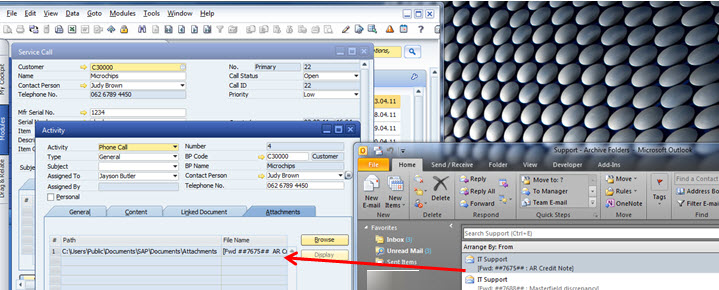
In SAP Business One – all marketing documents now come with a new “attachment” tab. With this users can now “drag and drop” MS Outlook mail to this attachment tab in marketing documents. This link is saved automatically in the attachment tab and the documents are saved in the attachment folders (that you specify under General Settings).
Documents can be attached to most data areas – for example business partners and products.
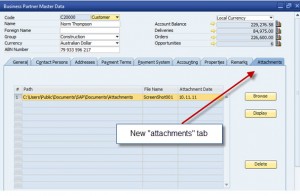
SAP Business One 8.81 Attachments
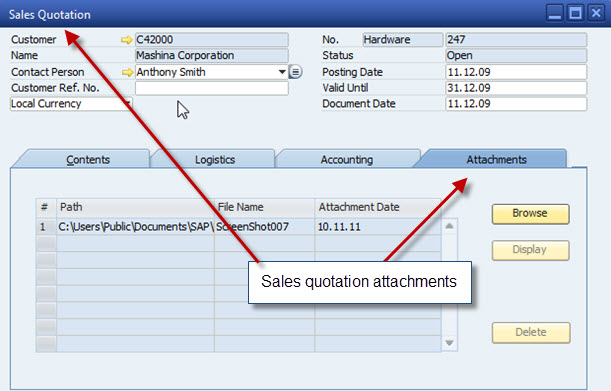
As well as attachments on all marketing documents, you can also use attachments for:
- AR / AP Quotes, Orders, Deliveries, Returns, Invoices, Credits
- Inventory – Receipts, Issues
- Production – Receipts, Issues
- Service calls
To create an attachment from MS Outlook, you simply drag and drop from MS Outlook into the marketing document.
Prerequisites include – SAP Business One 8.81 patch level 8+, MS Outlook and configuration of the attachments folder in SAP Business One. (Administration – System Initialisation – General – Settings – click on the “path” tab and set up the attachments location. More great functionality from the team at SAP……..SAP Business One 8.81…….
Recognised by the top ERP Partners in Australia


Leverage Technologies is an SAP Gold Partner, Sage Platinum Partner, and MYOB Acumatica Platinum Partner. Our award-winning team has earned national recognition for excellence in ERP and our commitment to customer success.

Brett has more than 20 years of business software sales and company management experience. Brett has been involved in more than 300 ERP projects. His passion is customer satisfaction, making sure every client is more than just satisfied. Brett wants our customers to be driven to refer their friends and peers because we offer the best services and technology available and because we exceeded their expectations.